NewgenONE Platform
AI-first Application Studio for Enterprise-grade Design
Empower fusion teams with an AI-powered, collaborative application studio that streamlines the entire development lifecycle, from design and composition to deployment. With integrated, low-code design tools and intelligent guidance, teams can build, iterate, and scale enterprise applications faster while delivering consistent, user-centric experiences, globally.

How does Application Studio enable enterprise-wide collaboration for fusion teams?
Application Studio provides fusion teams with a unified, collaborative design workspace that supports every phase of application development, from design and build to deployment and monitoring. It brings together the tools required at each stage into a single environment, enabling seamless collaboration between business and IT teams. Developers can switch fluidly between different design tools based on evolving requirements, improving productivity and ensuring a consistent, user-centric experience across applications. This flexibility allows teams to move faster while maintaining control, quality, and enterprise-grade standards throughout the lifecycle.
Application Studio: The AI-first Development Workspace of NewgenONE
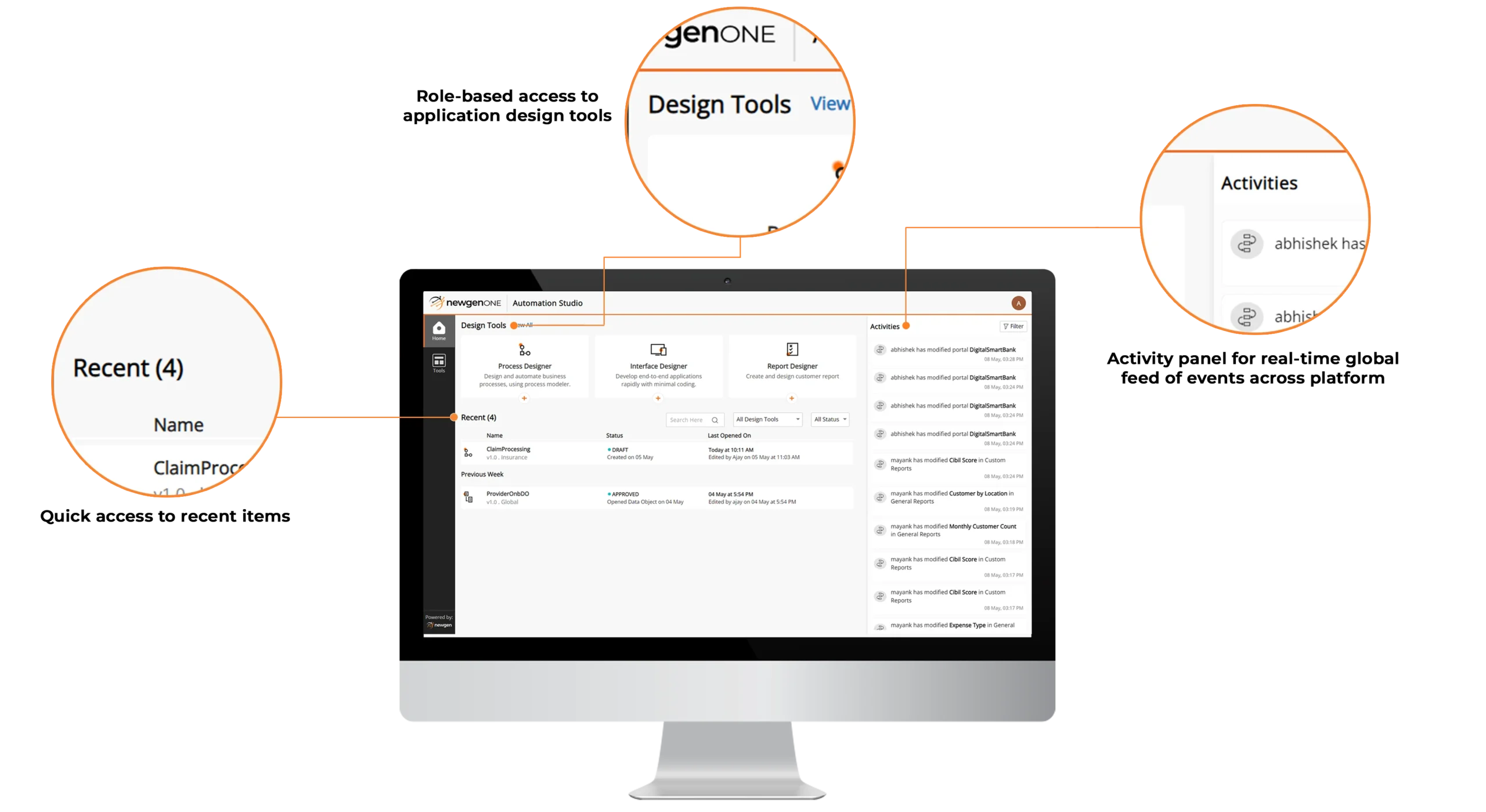
Intelligent Low-code IDE for Enterprise Application Lifecycle


AI-assisted Collaboration and Developer Engagement
AI-driven Real-time Activity Stream
Intelligent Low-code IDE for Enterprise Application Lifecycle
- Provide a unified development environment with all the tools required to design, build, and manage enterprise applications
- Use visual, low-code tools to create and manage application components, including interface design, data modeling, process design, business rules, and RPA bots
- Enforce role-based access controls to ensure governed usage of tools and capabilities across teams
- Improve productivity with the ability to pin frequently used applications and components for quick access
AI-assisted Collaboration and Developer Engagement
- Enable enterprise-wide, intelligent collaboration through integrated Microsoft Teams, with context-aware notifications and activity cues that reduce context switching and improve team productivity
- Empower developers with AI-assisted knowledge access via integrated Stack Overflow, enabling faster discovery of relevant answers and quicker resolution of application development challenges
AI-driven Real-time Activity Stream
- Search, filter, and track work items efficiently using configurable, multi-criteria search with intelligent relevance prioritization
- Pin advanced searches and mark priority queues as favorites for faster access to high-impact and frequently used work items
Intelligent Low-code IDE for Enterprise Application Lifecycle

- Provide a unified development environment with all the tools required to design, build, and manage enterprise applications
- Use visual, low-code tools to create and manage application components, including interface design, data modeling, process design, business rules, and RPA bots
- Enforce role-based access controls to ensure governed usage of tools and capabilities across teams
- Improve productivity with the ability to pin frequently used applications and components for quick access
AI-assisted Collaboration and Developer Engagement
- Enable enterprise-wide, intelligent collaboration through integrated Microsoft Teams, with context-aware notifications and activity cues that reduce context switching and improve team productivity
- Empower developers with AI-assisted knowledge access via integrated Stack Overflow, enabling faster discovery of relevant answers and quicker resolution of application development challenges
AI-driven Real-time Activity Stream
- Search, filter, and track work items efficiently using configurable, multi-criteria search with intelligent relevance prioritization
- Pin advanced searches and mark priority queues as favorites for faster access to high-impact and frequently used work items