Home Newgen DX++ Developer Community

How does Application Studio enable enterprise-wide collaboration for fusion teams?

Application Studio provides fusion teams with a unified, collaborative design workspace that supports every phase of application development, from design and build to deployment and monitoring. It brings together the tools required at each stage into a single environment, enabling seamless collaboration between business and IT teams. Developers can switch fluidly between different design tools based on evolving requirements, improving productivity and ensuring a consistent, user-centric experience across applications. This flexibility allows teams to move faster while maintaining control, quality, and enterprise-grade standards throughout the lifecycle.

Application Studio: The AI-first Development Workspace of NewgenONE

arrow icon
arrow icon arrow icon

Intelligent Low-code IDE for Enterprise Application Lifecycle

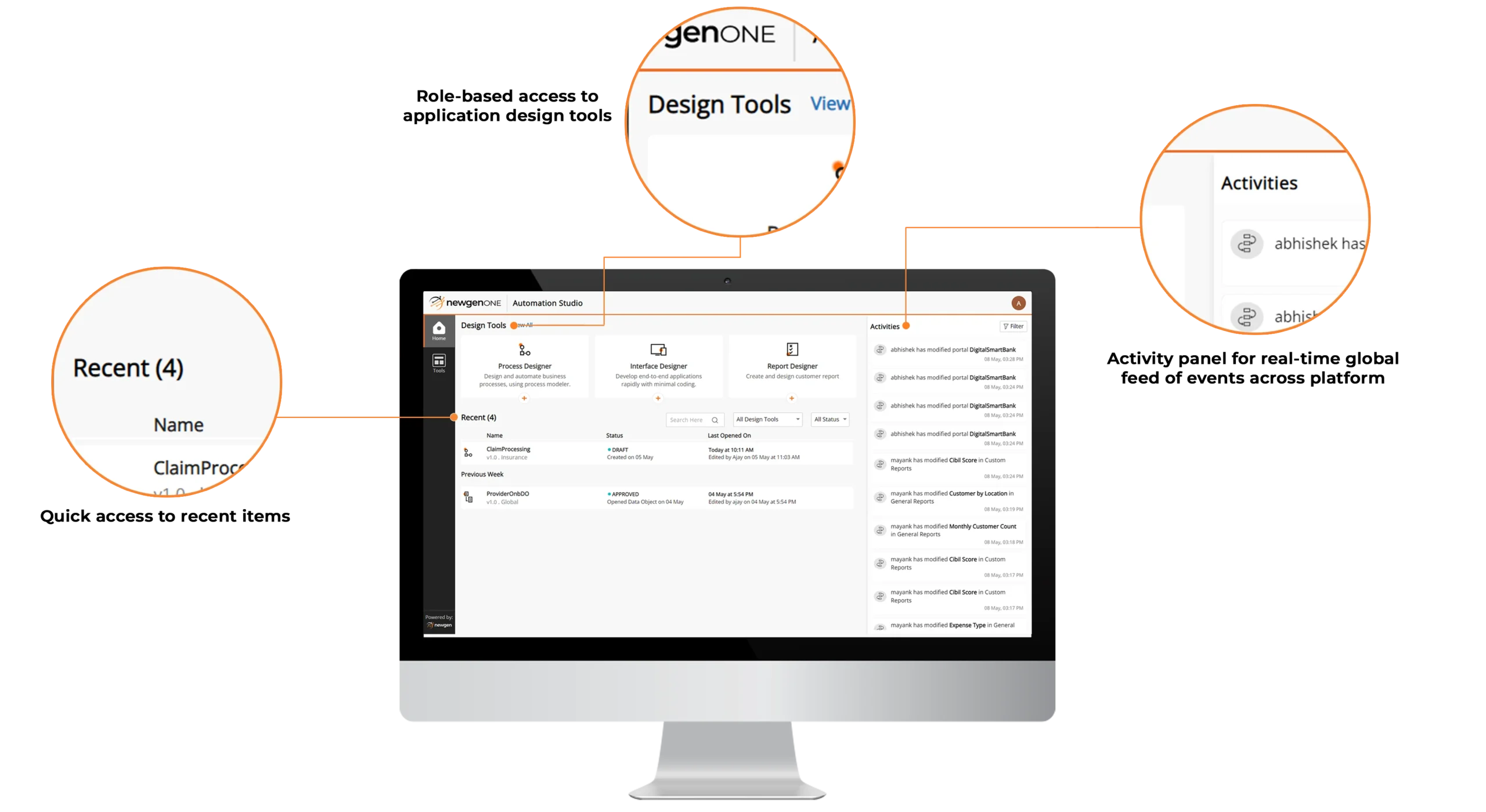
  • Provide a unified development environment with all the tools required to design, build, and manage enterprise applications
  • Use visual, low-code tools to create and manage application components, including interface design, data modeling, process design, business rules, and RPA bots
  • Enforce role-based access controls to ensure governed usage of tools and capabilities across teams
  • Improve productivity with the ability to pin frequently used applications and components for quick access

AI-assisted Collaboration and Developer Engagement

  • Enable enterprise-wide, intelligent collaboration through integrated Microsoft Teams, with context-aware notifications and activity cues that reduce context switching and improve team productivity
  • Empower developers with AI-assisted knowledge access via integrated Stack Overflow, enabling faster discovery of relevant answers and quicker resolution of application development challenges

AI-driven Real-time Activity Stream

  • Search, filter, and track work items efficiently using configurable, multi-criteria search with intelligent relevance prioritization
  • Pin advanced searches and mark priority queues as favorites for faster access to high-impact and frequently used work items
arrow icon
  • Provide a unified development environment with all the tools required to design, build, and manage enterprise applications
  • Use visual, low-code tools to create and manage application components, including interface design, data modeling, process design, business rules, and RPA bots
  • Enforce role-based access controls to ensure governed usage of tools and capabilities across teams
  • Improve productivity with the ability to pin frequently used applications and components for quick access
arrow icon
  • Enable enterprise-wide, intelligent collaboration through integrated Microsoft Teams, with context-aware notifications and activity cues that reduce context switching and improve team productivity
  • Empower developers with AI-assisted knowledge access via integrated Stack Overflow, enabling faster discovery of relevant answers and quicker resolution of application development challenges
arrow icon
  • Search, filter, and track work items efficiently using configurable, multi-criteria search with intelligent relevance prioritization
  • Pin advanced searches and mark priority queues as favorites for faster access to high-impact and frequently used work items
icon-angle icon-bars icon-times